Email Delivery Report

For more info, click on the categories in the report table!

Your Score: 10/10


... Ok 💡 ... Ok, but watch notes 🚧 ... Could improve ... Should improve ... Email not sent/needs time
Email Delivery 📧
Transport
IPv4

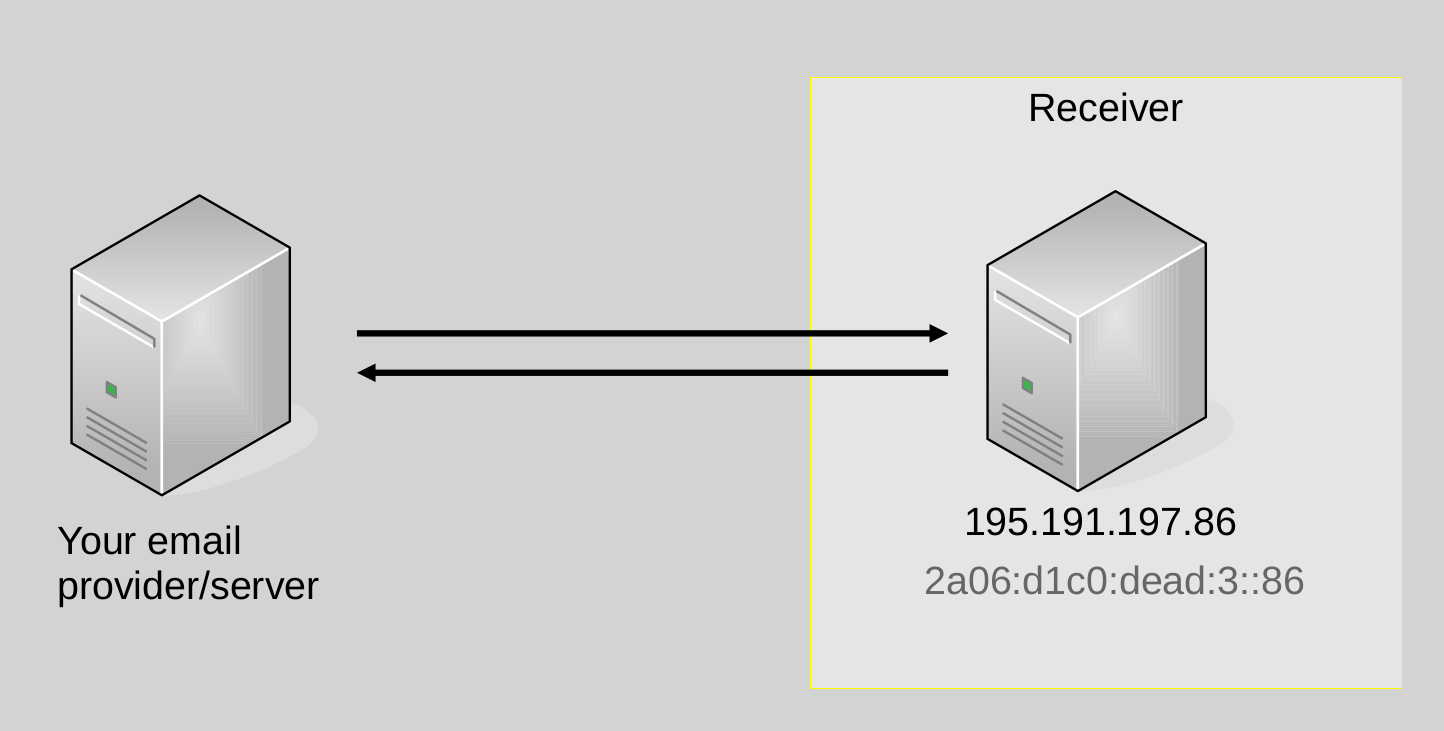
When sending emails, your mailprovider supports IPv4 email delivery. IPv4

IPv6

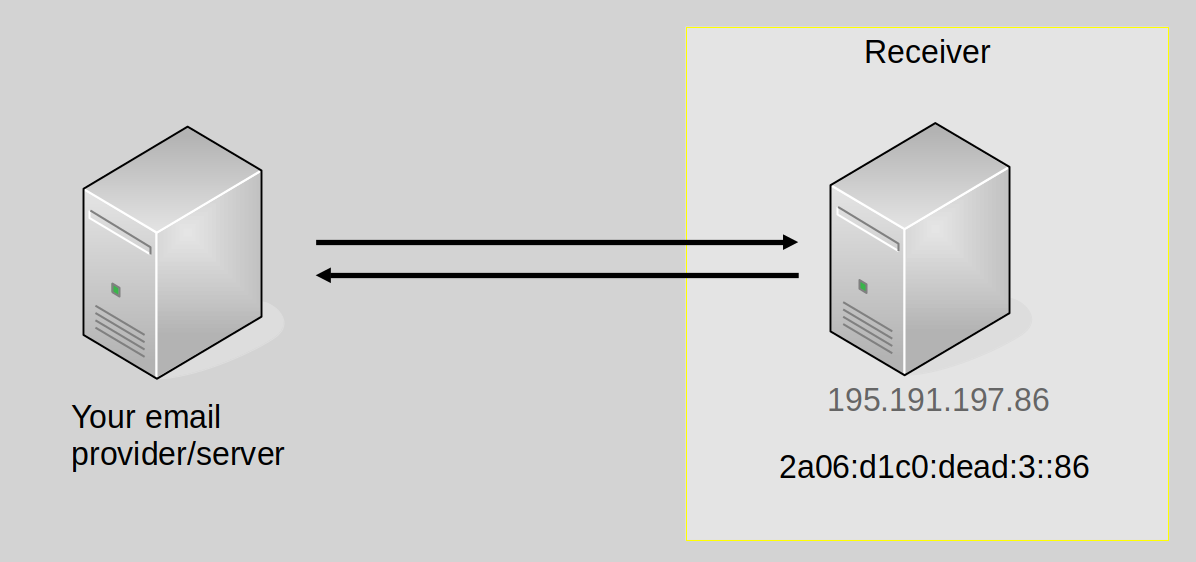
When sending emails, your mailprovider supports IPv6 email delivery. While receiving emails over IPv6 poses new challenges to spam prevention, IPv4 is running out, and it is time to get IPv6 ready!
IPv6 References:
RIPE - Sending and Receiving Emails over IPv6 [EN]

Greylisting

Greylisting is an anti-spam measure. It leverages that many spammers do not queue emails by sending a temporary error to any unknown combination of sender IP address, MAIL FROM, and RCPT TO. A valid sender will try to redeliver the email during a certain timeframe (usually 24 hours to a few days). When sending emails, your mailprovider attempts re-delivery (supports sending to servers using greylisting).

References:
IONOS - What is greylisting? [EN]
IONOS - Was ist greylisting? [GER]

TLS / Encryption
Plaintext
💡

Note: Plaintext delivery is supported; While technically insecure, there are still some mailservers in production that do not support TLS, so it might make sense to allow plaintext delivery.

Your email provider/server supports emails in cleartext if the STARTTLS option is not presented by the receiver or stripped from the communication.

Transport Encryption
💡

Note: The mailserver supports medium strength ciphers; While a little less secure, this improves deliverability over just supporting strong ciphers.

Transport encryption protects emails from passive eavesdropping on the way from the sender to the receiver. Still both the sending and the receiving email servers and every email server on the path from the sender to the receiver sees the email in cleartext.
To measure support for transport encryption the address mail-tls-force.measurement.email-security-scans.org points to an email server enforcing transport encryption. Your email provider/server supports transport encryption.
Subtests Result Description
TLS 1.3 If an email is received, the outgoing email server supports TLSv1.3.
Supported TLS versions and ciphers by our server: Only TLS1.3 - all ciphers
No TLS 1.3
💡
If no email is received, the outgoing mail server enforces TLSv1.3.
Supported TLS versions and ciphers by our server: TLS1.2 and lower - all ciphers
Medium ciphers
💡
If no mail is received, your email server does not support medium strength or strong ciphers.
Our server only supports medium ciphers and TLS versions:
TLS 1.2
- ECDHE-RSA-AES[128;256](GCM)/CHACHA20 POLY1305-SHA[x;256;384]
- DHE-RSA-AES[128;256](GCM)/CHACHA20 POLY1305/CAMELLIA[128;256]-SHA[x;256;384]
TLS 1.3
- TLS_AES[128;256](GCM)/CHACHA30 POLY1305_SHA[256;384]
Based on SIDN - 4.5 Cryptographic protocols and algorithms [EN]
Strong ciphers If no mail is received, your mailserver does not support strong ciphers.
Our server only supports strong ciphers and TLS versions:
TLS 1.2
- ECDHE-RSA-AES[256(GCM)]/CHACHA20 POLY1305-SHA[256;384]
TLS 1.3
- TLS_AES[128;256]_GCM/CHACHA20 POLY1305_SHA[256;384]
Based on SIDN - 4.5 Cryptographic protocols and algorithms [EN]

Opportunistic Transport Encryption
💡

Note: Opportunistic encryption (accepting any certificate) is supported; While technically insecure, there are still some mailservers in production that do not support validated TLS connections, so opportunistic encryption is better than nothing.

Transport encryption for email is mostly opportunistic. Expired and self-signed certificates are treated as valid. In case of an error the SMTP connection will fall back to plaintext. However, this makes email delivery vulnerable to spoofing and Monkey-in-the-middle (MITM) attacks. To measure how your email provider/server treats invalid certificates, mail-tls-invalid.measurement.email-security-scans.org presents an expired certificate with a non-matching CN entry. Your email provider/server supports

Strict Transport Encryption (DANE)

Domain-based Authentication of Named Entities (DANE) is a more recent standard that allows to publish certificate information in DNS with TLSA records. A sender is then able to verify the certificate of the receiving email server based on the information in the TLSA record. This also indicates that the receiver supports encryption before initiating a STARTTLS connection. To guaratanee validity of the certificate information, DANE only works in combination with DNSSEC.

Here, we check whether your mailserver honors our TLSA/DANE records, i.e., not if you have DANE configured for your inbound mailservers.

When sending emails, your mailserver supports DANE and prefers it over MTA-STS.
Subtests Result Description
No DNSSEC This test includes a non DNSSEC-signed zone, providing an invalid TLSA record. DANE should be ignored on non DNSSEC-signed zones, i.e., the email should be delivered based on your providers' choice for opportunistic encryption.
DANE > MTA-STS An email should be delivered if TLSA is correctly preferred over MTA-STS. It includes a valid DANE-EE record, but an MTA-STS policy that points to an email server with an invalid certificate. If this test fails and you are using Postfix, check out this bug ticket: https://github.com/Snawoot/postfix-mta-sts-resolver/issues/67
DANE > PKI An email should not be delivered if TLSA is correctly preferred over a PKI valid (matching the hostname, in validity period, and signed by a trusted CA). The MX for this host includes an invalid DANE-EE record, but a PKIX valid certificate.

References:
APNIC - Better mail security with DANE for SMTP [EN]

Strict Transport Encryption (MTA-STS)

MTA-Strict Transport Security enables strict transport encryption for domains without DNSSEC.

Here, we check whether your mailserver honors our MTA-STS policy, i.e., not if you have MTA-STS configured for receiving emails for your domain.

When sending emails, your mailserver supports MTA-STS.
Subtests Result Description
Policy Delimiter '\n' If an email is received, your provider/server does not validate MTA-STS if the policy is delimited with LF ('\n'). According to RFC8461 ('3.2. MTA-STS Policies') a CRLF ('\r\n') should be the line separator for MTA-STS policies. However, an errata exists that clarrifies that also, LF ('\n') is allowed.

To test your inbound MTA-STS policy (and more!), run the e-mail test from Internet.nl:
Internet.nl E-Mail Test [EN]

Sending of TLS Reports
💡

Your mailserver sends out TLS reports, and we received a report at 2026-04-23T00:05:28 (Download)
We received the following reports (newest 10):

Received At Issues Download
2026-04-23T00:05:28
  • Your TLS report's DKIM record misses the s=tlsrpt service type; Even though the RFC says senders MAY ignore its absence, it SHOULD be set (see RFC8460 Sec. 3), this servicetype was never registered, and is unlikely to be seen in the wild. Most likely, your TLS-RPT are better for lacking this record. (Message is tlsrpt and Service Type is not tlsrpt).
(Download)

DNS 🔎
DNS Resolution
DNS Resolvers Used

Host Operator (ASN)
2a0b:7cc0:1::1000:19 (rdns=shpv.milkywan.cloud.) SAS-SHPV-FRANCE (AS41652)
185.212.224.12 (rdns=shpv.milkywan.cloud.) SAS-SHPV-FRANCE (AS41652)

IPv6-Only DNS Resolution

The DNS resolver, your email provider/server relies on, supports DNS resolution over IPv6.

DNSSEC Validated Resolution

The DNS resolver your email provider/server relies on, supports DNSSEC.

References:
APNIC - DNSSEC validation revisited [EN]

DNS Configuration of Your Zones/Mailservers
Resolvable via IPv6 Only

Here, we test whether a recursive DNS server that only supports IPv6 can resolve all names/zones relevant for your email setup. All zones your mailsetup depends upon are IPv6 resolvable.


For more details on IPv6 resolvability and authoritative DNS, see: Streibelt et al., 'How Ready Is DNS for an IPv6-Only World?', Passive and Active Measurement Conference, 2023.

If you want to test whether specific names resolve via IPv6, you can test that at our open IPv6 only resolver: dig @v6only-resolver.measurement.network

DNSSEC Signed

Some names needed for email delivery are not DNSSEC signed. This is important to verify the authenticity and integrity of SPF, DKIM, DANE, reverse DNS, and DMARC entries.

Note that even though possible, it is not very common to see signed reverse DNS. We recommend trying to do it anyway (or convince your hoster do do it), a) because one can, and b) because it may be an--even though theoretical--attack vector.
Name Used for
9.1.0.0.0.0.0.1.0.0.0.0.0.0.0.0.0.0.0.0.1.0.0.0.0.c.c.7.b.0.a.2.ip6.arpa. (unsigned) rdns
12.224.212.185.in-addr.arpa. (unsigned) rdns

Sending Host Configuration & Authenticated Sender 🔎
Sending Server Summary (EHLO, fcrDNS, SPF)

IP EHLO Name Reverse DNS EHLO match rDNS fcrDNS SPF State
2a0b:7cc0:1::1000:19 shpv.milkywan.cloud. shpv.milkywan.cloud. Yes Yes From: pass (sender SPF authorized); Envelope: pass (sender SPF authorized);
185.212.224.12 shpv.milkywan.cloud. shpv.milkywan.cloud. Yes Yes From: pass (sender SPF authorized); Envelope: pass (sender SPF authorized);

SPF Policy Size

Your SPF policy is valid and needs less than 10 additional DNS queries.

FQDN SPF Record
1. FROM SPF Chain
milkywan.fr "v=spf1 mx -all"
1. Envelope SPF Chain
milkywan.fr "v=spf1 mx -all"

DKIM

DomainKeys Identified Mail (DKIM) allows claiming responsibility for an email by cryptographically sigining it. It prevents forgery and spam. Your mailsetup uses DKIM. All DKIM signatures are valid and in good order.

DKIM validation works as follows:

1. The sender publishes a DNS record which includes the public key.
2. The sender signs the email and attaches the signature in a message header. The sender uses signing and hash-algorithm 'a=' to create a hash of the fields specified in the 'h=' field. They then encrypt the hash with their secret private key.

3. The recipient looks up the public key by using the selector 's=' included in the emails signature. With the public key they can decrypt the hash and and use the same hash-algorithm their own hash of the email. If the hashes match the signature is valid and the email was not forged.
Host Selector Domain Canonicalization Signature Algorihm DNS Algorithm Key Size Validity Comments
shpv.milkywan.cloud. (185.212.224.12) 2026 milkywan.fr (matching From-domain) relaxed/relaxed rsa-sha256 k:rsa 2048 valid
shpv.milkywan.cloud. (2a0b:7cc0:1::1000:19) 2026 milkywan.fr (matching From-domain) relaxed/relaxed rsa-sha256 k:rsa 2048 valid

DMARC

Domain-based Message Authentication, Reporting and Conformance (DMARC) was introduced to let the receiver know, how to react to SPF and DKIM validation results and enable reporting.

You have DMARC configured. See below for your DMARC record and parsed policy (with defaults included for settings you omitted, see RFC7489 Sec. 6.1 for details.).

DMARC Record: v=DMARC1; p=reject; sp=reject; rua=mailto:rua@mail.milkywan.fr; pct=100


DMARC Field Set Value Description
v DMARC1 DMARC version, should always be DMARC1.
adkim r (default) (plain-text; OPTIONAL; default is "r".) Indicates whether strict or relaxed DKIM Identifier Alignment mode is required by the Domain Owner.
aspf r (default) (plain-text; OPTIONAL; default is "r".) Indicates whether strict or relaxed SPF Identifier Alignment mode is required by the Domain Owner.
fo 0 (default) Failure reporting options (plain-text; OPTIONAL; default is "0").
p reject Requested Mail Receiver policy (plain-text; REQUIRED for policy records). Indicates the policy to be enacted by the Receiver at the request of the Domain Owner.
pct 100 Percentage of messages from the Domain Owner's mail stream to which the DMARC policy is to be applied. (plain-text integer between 0 and 100, inclusive; OPTIONAL; default is 100).
rf afrf (default) Format to be used for message-specific failure reports (colon-separated plain-text list of values; OPTIONAL; default is "afrf").
ri 86400 (default) Interval requested between aggregate reports (plain-text 32-bit unsigned integer; OPTIONAL; default is 86400).
rua mailto:rua@mail.milkywan.fr Addresses to which aggregate feedback is to be sent (comma-separated plain-text list of DMARC URIs; OPTIONAL).
ruf (default) Addresses to which message-specific failure information is to be reported (comma-separated plain-text list of DMARC URIs; OPTIONAL).
sp reject Requested Mail Receiver policy for all subdomains (plain-text; OPTIONAL). Defaults to the value of p=.

DMARC Report Deliverability

You have the following addresses configured to receive DMARC reports:
Address RUF RUA Recv. Auth. Report Sent Report Delivered Bounce Received
rua@mail.milkywan.fr - Yes Yes 2026-04-22T18:28:53 2026-04-22T18:28:55 No bounce received.

Fully IPv6 Ready

Your mail-setup is IPv6 ready! IPv6 mail delivery, DNS resolution, and IPv6 support for all zones you depend on works!

Message Basics 🔎
Duplicate Headers

No duplicate headers found.

Missing Headers

No missing headers found.

Envelope-From/Mail-From Mismatch

Envelope From and Mail From domains always match.

Measurement Target Description Sent Received By MTA
challenge_mail_plaintext This address is reachable via IPv4 and IPv6, but only allows plaintext connections. If you cannot send an email here, your mailserver does not support plaintext emails. plaintext.measurement.email-security-scans.org
challenge_v4_mail This address is only reachable via IPv4, and accepts plaintext connections and as many ciphers and TLS versions as possible. If you cannot send an email here, your mailserver does not support sending emails via IPv4. mail.measurement.email-security-scans.org
challenge_v6_mail This address is only reachable via IPv6, and accepts plaintext connections and as many ciphers and TLS versions as possible. If you cannot send an email here, your mailserver does not support sending emails via IPv6. mail.measurement.email-security-scans.org
challenge_v4_mail_v6only Like measurement@v4-mail.measurement.email-security-scans.org, but the domain can only be resolved via IPv6. If you cannot send an email here, but to measurement@v4-mail.measurement.email-security-scans.org, your mailserver's DNS resolver does not support IPv6 DNS resolution. mail.measurement.email-security-scans.org
challenge_v6_mail_v6only Like measurement@v6-mail.measurement.email-security-scans.org, but the domain can only be resolved via IPv6. If you cannot send an email here, but to measurement@v6-mail.measurement.email-security-scans.org, your mailserver's DNS resolver does not support IPv6 DNS resolution. mail.measurement.email-security-scans.org
challenge_v4_mail_dnssec_broken Like measurement@v4-mail.measurement.email-security-scans.org, but DNSSEC is broken. If you can send an email to measurement@v4-mail.measurement.email-security-scans.org and this address, your mailserver's DNS resolver does not support DNSSEC.
challenge_v6_mail_dnssec_broken Like measurement@v6-mail.measurement.email-security-scans.org, but DNSSEC is broken. If you can send an email to measurement@v6-mail.measurement.email-security-scans.org and this address, your mailserver's DNS resolver does not support DNSSEC.
challenge_v4_mail_greylisting Like measurement@v4-mail.measurement.email-security-scans.org, but our server implements greylisting. If you can send an email to measurement@v4-mail.measurement.email-security-scans.org and this address, your mail server queues temporarily undeliverable mails and reattempts delivery (as it should). greylisting.measurement.email-security-scans.org
challenge_v6_mail_greylisting Like measurement@v6-mail.measurement.email-security-scans.org, but our server implements greylisting. If you can send an email to measurement@v6-mail.measurement.email-security-scans.org and this address, your mail server queues temporarily undeliverable mails and reattempts delivery (as it should). greylisting.measurement.email-security-scans.org
challenge_mail_tls_force This address is reachable via IPv4 and IPv6, but enforces TLS use with as many ciphers and TLS versions as possible, presenting a valid certificate. If you cannot send an email here, your mailserver does not support (newer than SSLv3) TLS for outbound connections. tls-force.measurement.email-security-scans.org
challenge_mail_tls_invalid Like measurement@mail-tls-force.measurement.email-security-scans.org, but the certificate is invalid (non-matching and expired). If you can send an email to measurement@mail-tls-force.measurement.email-security-scans.org, but not here, your mailserver validates tls-invalid.measurement.email-security-scans.org
challenge_mail_tlsa_invalid Like measurement@mail-tls-invalid.measurement.email-security-scans.org, but with an invalid TLSA record. If you could send to measurement@mail-tls-invalid.measurement.email-security-scans.org but not here, your mailserver validates DANE.
challenge_mail_tlsv13 Like measurement@mail-tls-force.measurement, but enforcing TLSv1.3; If you can deliver an email here, your mailserver supports TLSv1.3. tlsv13.measurement.email-security-scans.org
challenge_mail_notlsv13 Like measurement@mail-tls-force.measurement, but not supporting TLSv1.3; If you cannot deliver an email here, you mailserver enforces at least TLSv1.3. notlsv13.measurement.email-security-scans.org
challenge_mail_strong_force_tls Like measurement@mail-tls-force.measurement.email-security-scans.org, but only supporting high cipher settings according to https://www.sidn.nl/en/modern-internet-standards/hands-on-implementing-dane-in-postfix; implies no TLSv1.0 and no TLSv1.1. If no mail is received, your mailserver does not support strong ciphers. strong-force-tls.measurement.email-security-scans.org
challenge_mail_medium_force_tls Like measurement@mail-tls-force.measurement.email-security-scans.org, but only supporting medium cipher settings according to https://www.sidn.nl/en/modern-internet-standards/hands-on-implementing-dane-in-postfix; implies no TLSv1.0 and no TLSv1.1. If no mail is received, your mailserver does not support medium strength ciphers. medium-force-tls.measurement.email-security-scans.org
challenge_uniq Includes a unique random ID for your email test, which helps us to tie DMARC bounces and TLS-RPT messages to your emails. mail.measurement.email-security-scans.org
challenge_dns Includes a unique random ID for your email test, which helps us to tie your DNS resolver to your emails. mail.measurement.email-security-scans.org
challenge_mail_mtasts_n_iv If an email is received, the remote does not validate MTA-STS if the policy is delimited with \n; If a mail is not received for plain but here, the remote uses MTA-STS only to force opportunistic encryption.
challenge_mail_mtasts_rn_iv If an email is received, the remote does not validate MTA-STS if the policy is delimited with \r\n; If a mail is not received for plain but here, the remote uses MTA-STS only to force opportunistic encryption.
challenge_mail_mtasts_rn_plain If an email is received, the remote does not validate MTA-STS if the policy is delimited with \r\n; If a mail is received here, most likely no MTA-STS takes place.
challenge_mail_mtasts_rn_mult_ivv If an email is received, check if it came via tls-force or tls-invalid; If it came via tls-invalid, MTA-STS processing is broken (see options above). tls-force.measurement.email-security-scans.org
challenge_mail_mtasts_rn_mult_ivp If an email is received, check if it came via tls-invalid or plaintext; If it came via plaintext, MTA-STS processing is broken (see options above); If it came via tls-invalid, see the options abvoe for mtasts-n/rn-iv re: opportunistic encryption.
challenge_mail_tlsaivv TLSA invalid / Valid Certificate / No MTA-STS; If TLSA is supported in other tests, the remote preferrs PKIX over TLSA
challenge_mail_tlsaviv TLSA valid / Invalid Certificate / No MTA-STS; This case should be delivered by remotes that support TLSA, even if they perform strong TLS enforcing (see plaintext result) tls-invalid.measurement.email-security-scans.org
challenge_mail_mtastsv_tlsaivv_rn TLSA Invalid / Valid Certificate / Valid MTA-STS n; Should not be delivered if TLSA is correctly preferred over MTA-STS and both are supported (see other tests); \r\n delimiting
challenge_mail_mtastsiv_tlsaviv_rn TLSA Valid / Invalid Certificate / Invalid MTA-STS; Should be delivered if TLSA is correctly preferred over MTA-STS and both are supported (see other tests); \r\n delimiting tls-invalid.measurement.email-security-scans.org
challenge_mail_mtastsiv_tlsavv_rn TLSA Valid / Valid Certificate / Invalid MTA-STS; Should be delivered if TLSA is correctly preferred over MTA-STS and both are supported (see other tests); \r\n delimiting tls-force.measurement.email-security-scans.org
challenge_mail_tlsa_invalid_nodnssec TLSA Invalid / Invalid Certificate; If TLSA is supported as well as opportunistic encryption, this should be delivered as the TLSA record should not work on a non-DNSSEC signed domain; If it is, DNSSEC is ignored for TLSA. tls-invalid.measurement.email-security-scans.org
challenge_mail_tlsa_valid_nodnssec TLSA Invalid / Valid Certificate; If TLSA is supported as well as encryption, this should be delivered as the TLSA record should not work on a non-DNSSEC signed domain; If it is, DNSSEC is ignored for TLSA. Uses a PKIX valid cert to catch cases where remotes enforce valid certs. tls-force.measurement.email-security-scans.org